
Create Advertisement
The following training tutorials guides you how to create advertisement for vacancies in SAP step by step.
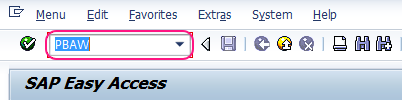
- Transaction code: – PBAW
Step 1: – Enter transaction code “PBAW” in the SAP command field and press enter.
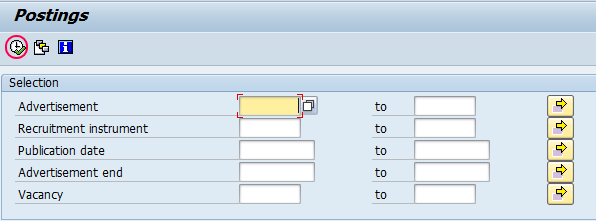
Step 2 : – In next screen, click on execute button (or press function key F8).
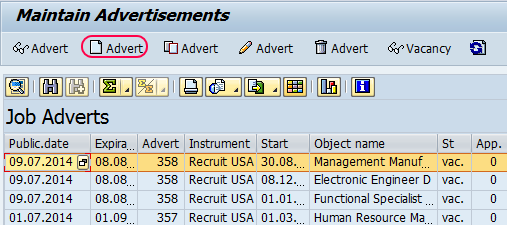
Step 3: – On the maintain advertisement screen click on advert button to maintain new advertisements as per your business requirements.
Step 4: – Click on “Next free advertisement number” then advertisement number will be automatically generated for your reference.
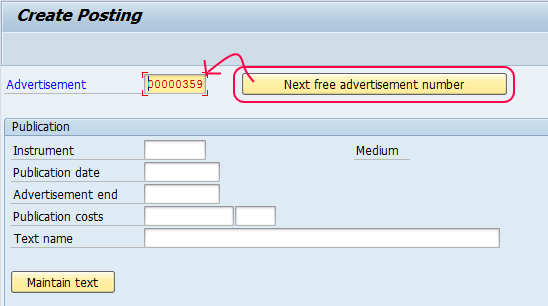
Step 5: – Select instrument from the list as shown below.
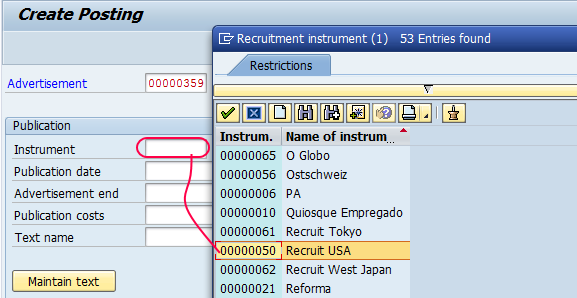
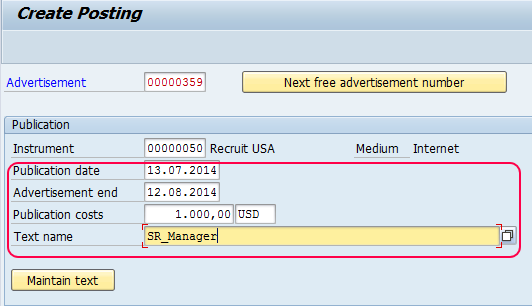
Step 6: – Update the following fields
- Publication date: – Update the publication date of the advertisement.
- Advertisement end date: – Update the advertisement end date.
- Publication costs: – Update the publication code with currency and
- Text: – Enter the descriptive text of the advertisement.
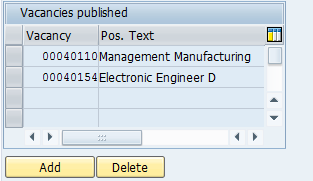
Click on “ADD” button below vacancies published and select vacancies to be posted from the list.
Click on save button or press (ctrl+s)0 to save the created advertisement in SAP.
Now you can see all the created advertisements from the list.
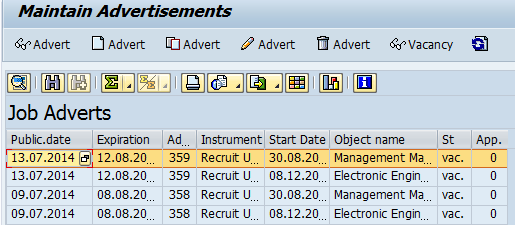
Successfully advertisement is created for the vacancies in SAP.
Leave A Comment?
You must be logged in to post a comment.