
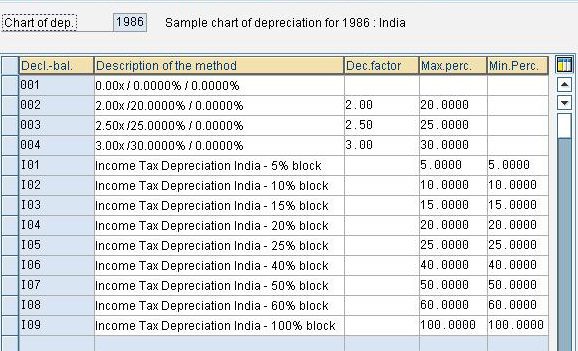
Depreciation Calculation Methods Various depreciation calculation methods are mentioned below: i. Base Method ii. Declining Balance Method iii. Maximum Amount Method iv. Multi Level Method v. Period Control Method i. Base Method Base Method- SPRO> IMG> Financial Accounting (New)> Asset Accounting>Depreciation> Valuation Methods> Depreciation Key> Calculation Methods>Define Base Methods Base method primarily specifies: The Type of depreciation […]
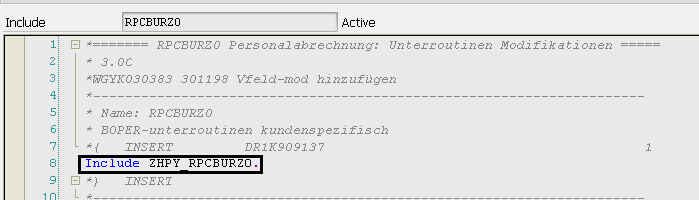
Step-by-step guide to create payroll custom function
This document contains step by step procedure to create custom payroll function. What is a Custom function? Payroll function and Schema plays very important roles in SAP HCM payroll run. Functions are used to calculate different amounts on the basis of master data and time data, wage type values etc. […]
Payroll Schemas and Personnel Calculation Rules (PCR’s)
Transaction Code: PE01 for schema. PE02 for PCR. (T-code PDSY is really important because it contains SAP documents to explain how function / operation works). Menu Path: Human Resources –> Payroll -> Tools –> Maintenance Tools -> Schemas Double-clicking on a sub-schema will take you to the maintenance screen for […]
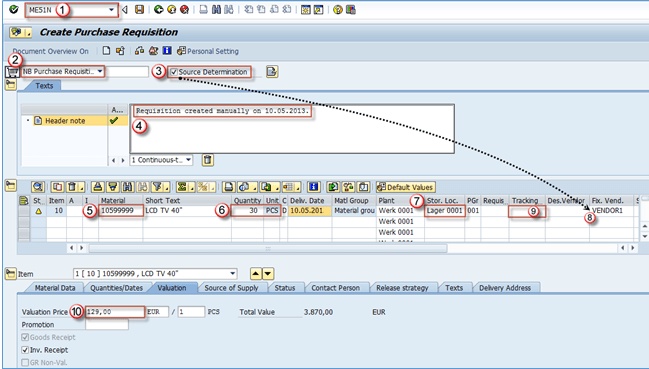
How to Create a Purchase Requisition in SAP: ME51N
Purchase requisition creation can be done in t-code ME51N (or the older version ME51 – not recommended) and is a straight forward process. 1. Execute ME51N transaction. 2. Purchase requisition document type: NB – standard. 3. Source determination: ON or OFF. 4. Header note. 5. Material: material number. 6. Quantity and UoM. […]
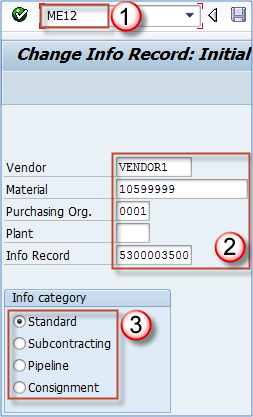
How to Change a Purchase Info Record: ME12 in SAP
We said that the transaction used to create info record is code ME11. When we need to change the info record we can use code ME12 t-code, and for display only we should use code ME13, just as SAP standards are. Step 1) Transaction code to change the info record. Vendor, material, purchase organization, […]
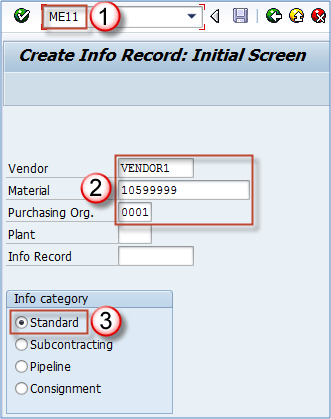
ME11: How to Create a Purchase Info Record in SAP
Purchase Info Record Purchase info records are information about terms for purchasing a specific material from a vendor. They are maintained at vendor/material combination and can contain data for pricing and conditions, overdelivering and underdelivering limits, planned delivery date, availability period. Procurement types in info record Standard A standard info […]
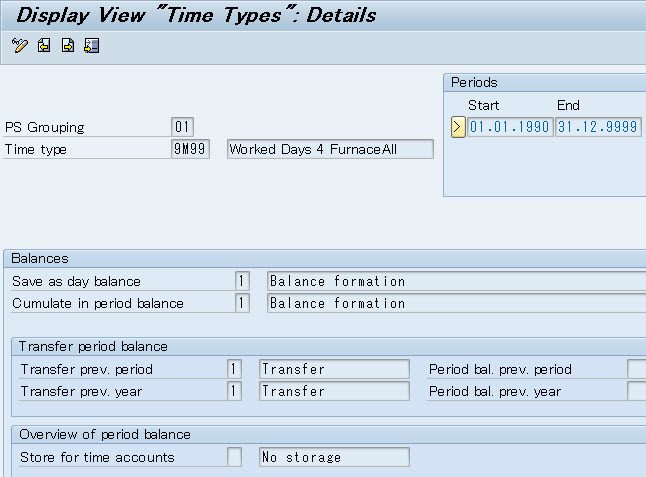
Understanding Relationship PT and PY
I. Relationship Every employee who’s in an enterprise, has to come offices/ companies and work days by days. Normally 5/6 working days per week is mandatory. He uses his time, his efforts, create benefits for company and then get monthly salary. In SAP HCM, system will calculate how many times he […]
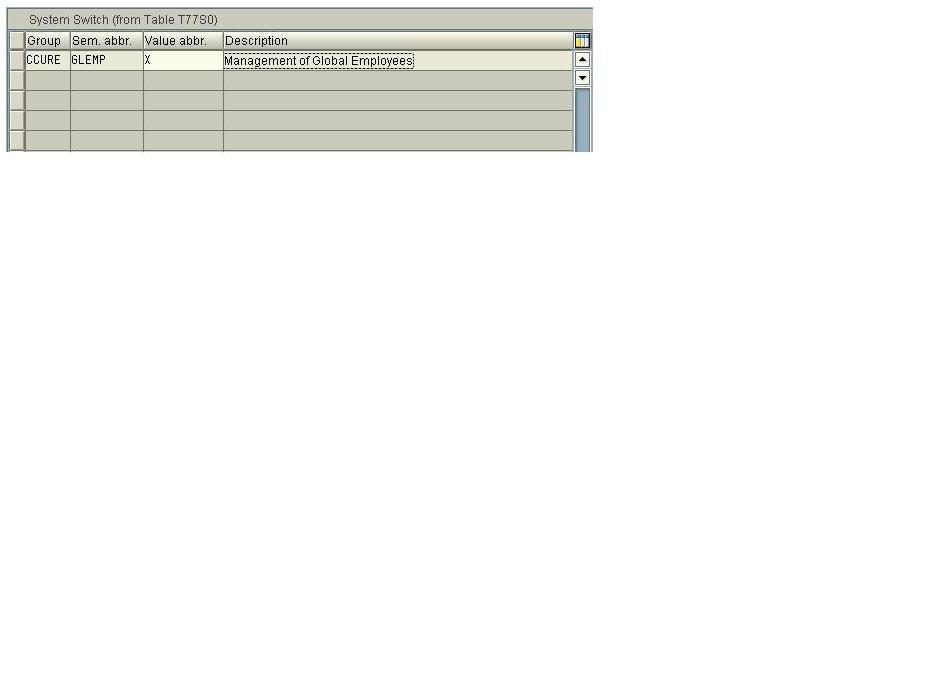
Management of Global Employees
Management of Global Employees In order to enable the Management of Global employment module in ECC 6.0, SAP Global setting require the concurrent employment switch “CCURE GLEMP” to be enabled. This is the Master data switch which enables you to activate the parts of the Concurrent Employment component (PA-CE) that are required […]
HR BASICS IN SAP
Human Resource Management HR – Play very important role – Deals with people not in money. HCM – Human Capital Management – Deals with both people and money. Human Resource deals with employee and company policy. Always deals with people and money. Modules in HR/HCM Personal Administration – Information about each employees […]
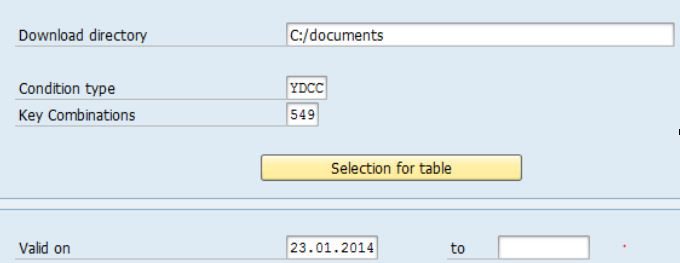
Dynamic selection screen
The purpose of this sample code is to generate select-options dynamically. The selection-screen takes the table name as input and generates the select-options for the fields selected dynamically. 1.Selection screen: 2.Creating dynamic selection screen Interface to read a table from the ABAP Dictionary for example: iv_kotab = A549 CALL FUNCTION ‘DDIF_TABL_GET’ […]