
The following tutorial guides you how to assign sales organization to company code step by step with screen shots
IMG Menu Path :- SPRO > IMG > Enterprise structure > Assignment > Sales and Distribution > assign sales org to company code

Select position and update sales organization code and press enter

Update company code in the CoCd field and press enter
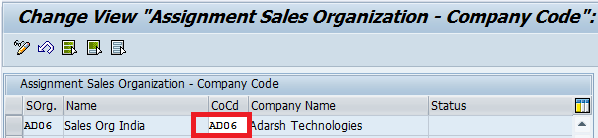
Click on save icon to save the configured data. Thus sales organization is successfully assigned to company code.
Leave A Comment?
You must be logged in to post a comment.