
Sales organizations are defined in SAP based on the company sales requirement. Sales organization controls terms of sales to the customers, negotiating sales, etc. It can assigned to only one company code and one or more plants.
Configuration of Sales Organization in SAP SD
IMG Menu Path :-
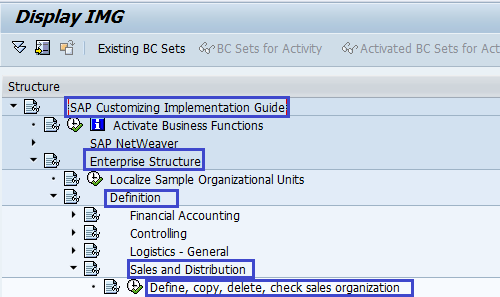
SPRO –> Implementation Guide -> Enterprise Structure –> Definition –> Sales and Distribution -> Define, copy, delete, check Sales organization –> Define Sales organization
T Code to Define Sales Organisation :- OVX5
Steps to Create New Sales Organization in SAP
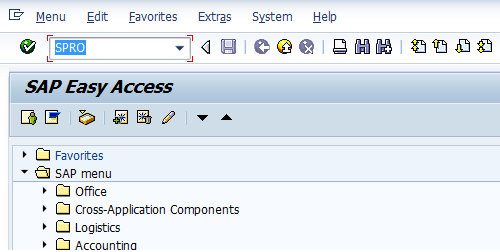
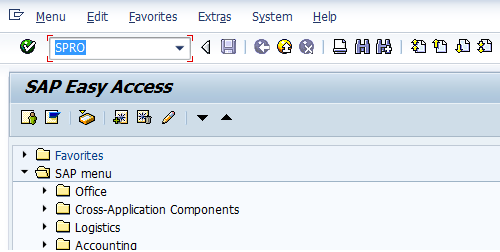
Step 1 :- Enter Transaction Code SPRO in the Command field and press Enter
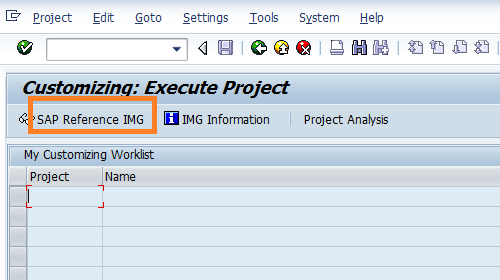
Step 2 :- In next screen click on SAP Reference IMG
Step 3 :- In next screen follow the menu path for Define sales organisation
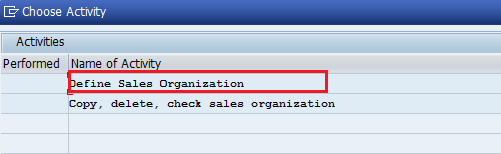
Step 4 :- A window will pop up and Double click on Define sales Organization
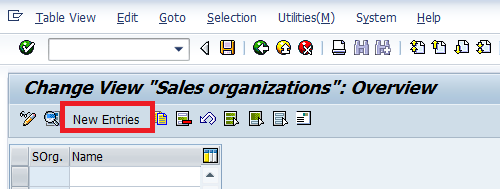
Step 5 :- In next screen click on New Entries
Step 6 :- Update the sales organisation key and name of the sales organization
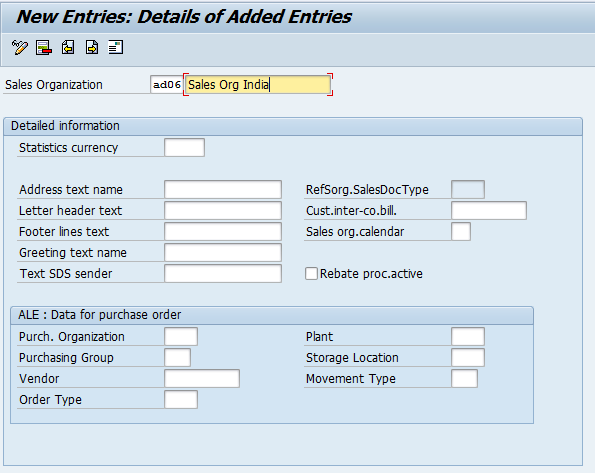
Step 7 :-
Press enter and click on save icon, another window will pop up for updating the address. Update the sales organization address.
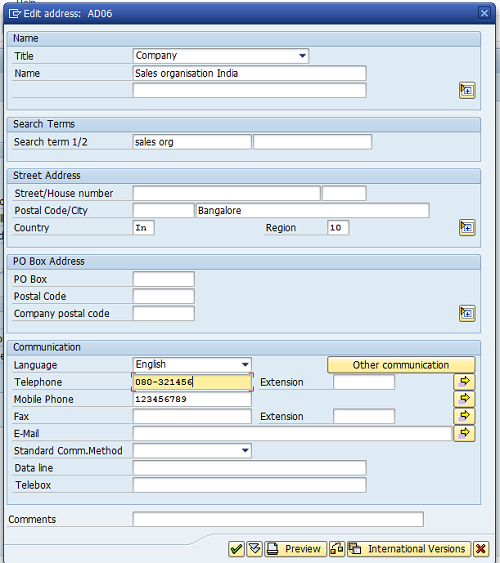
Step 8 :- After updating all the required address information click on save icon

Thus Sales Organization is successfully configured in SAP SD.
Leave A Comment?
You must be logged in to post a comment.