
This tutorial guides you how to Assign Number Ranges to Vendor Account Groups in SAP FI
Steps for Assign Number Ranges to Customer Account Groups
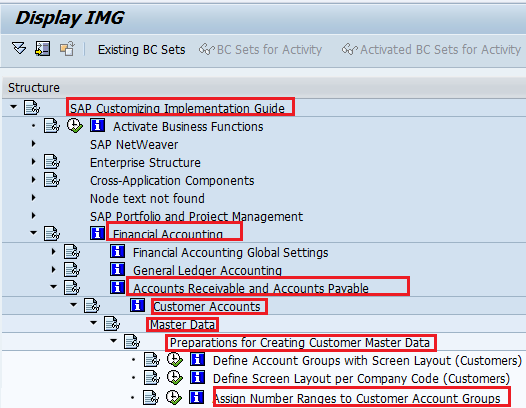
IMG Menu path :- Implementation Guide for Customizing (IMG) -> Financial Accounting -> Accounts Receivable and Accounts Payable -> Customer Accounts -> Master Data -> Assign Number Ranges to Customer Account Groups
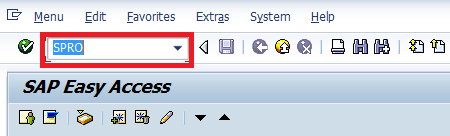
Step 1 :- Enter transaction Code SPRO in the SAP command field and press enter
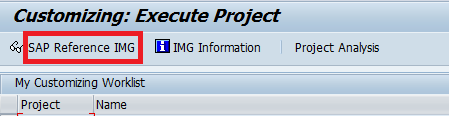
Step 2 :- Select SAP Reference IMG
Step 3 :- Follow the IMG menu path
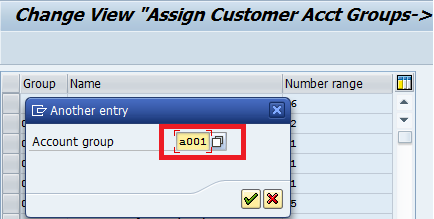
Step 4:- Select Position
update Customer account group that you to assign number ranges and press enter
Step 6 :- Click on save icon to save configured setting

Thus Number range is successfully assigned to Customerr account groups
Leave A Comment?
You must be logged in to post a comment.