
How to define condition types in SAP for GST
The following tutorials guides how to define condition types in SAP.
In this SAP tutorials, we are going to define the following condition types in SAP for GST
| Condition Type | Tax Type | Description |
| ADIC | Input | Central GST |
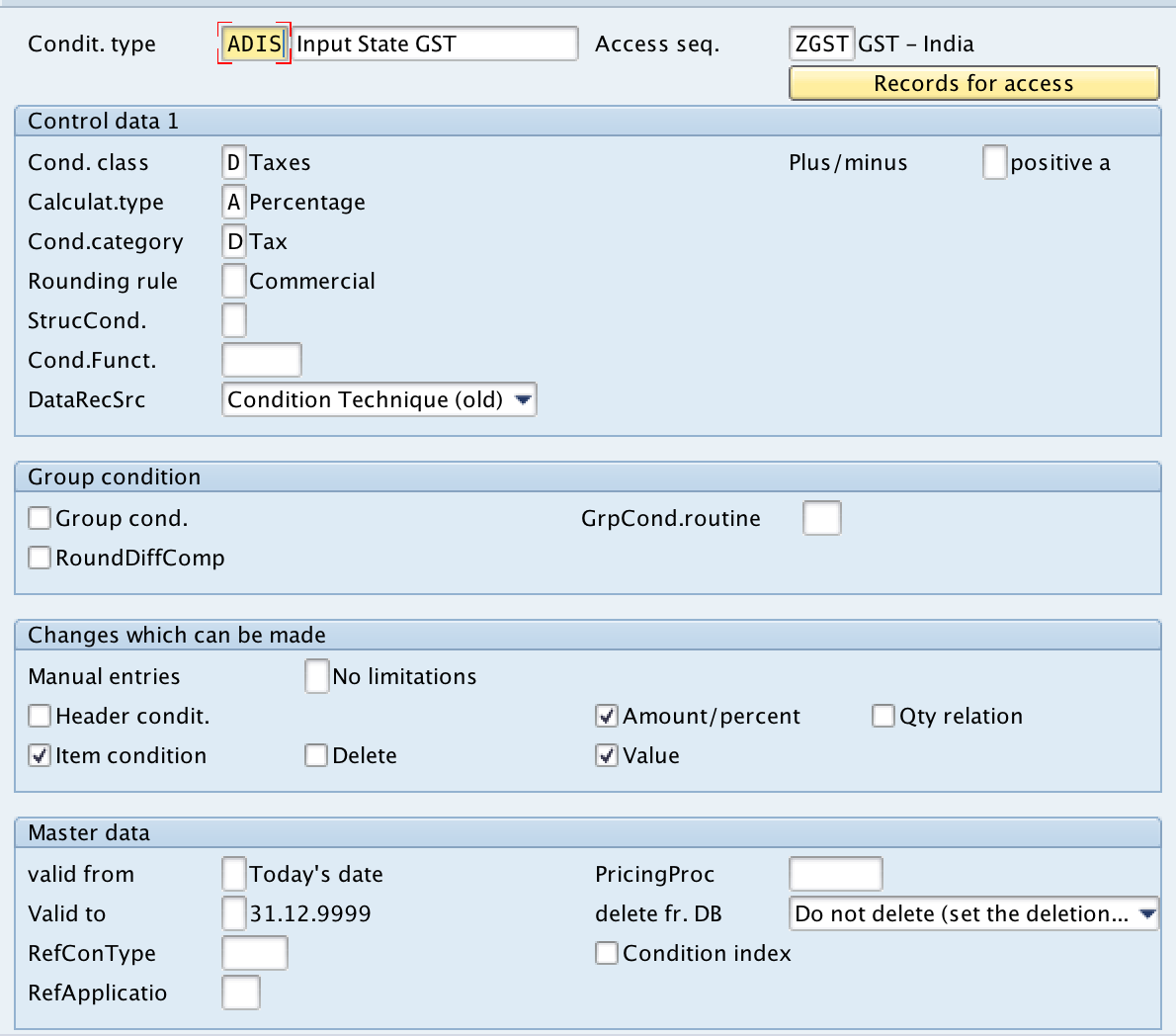
| ADIS | Input | State GST |
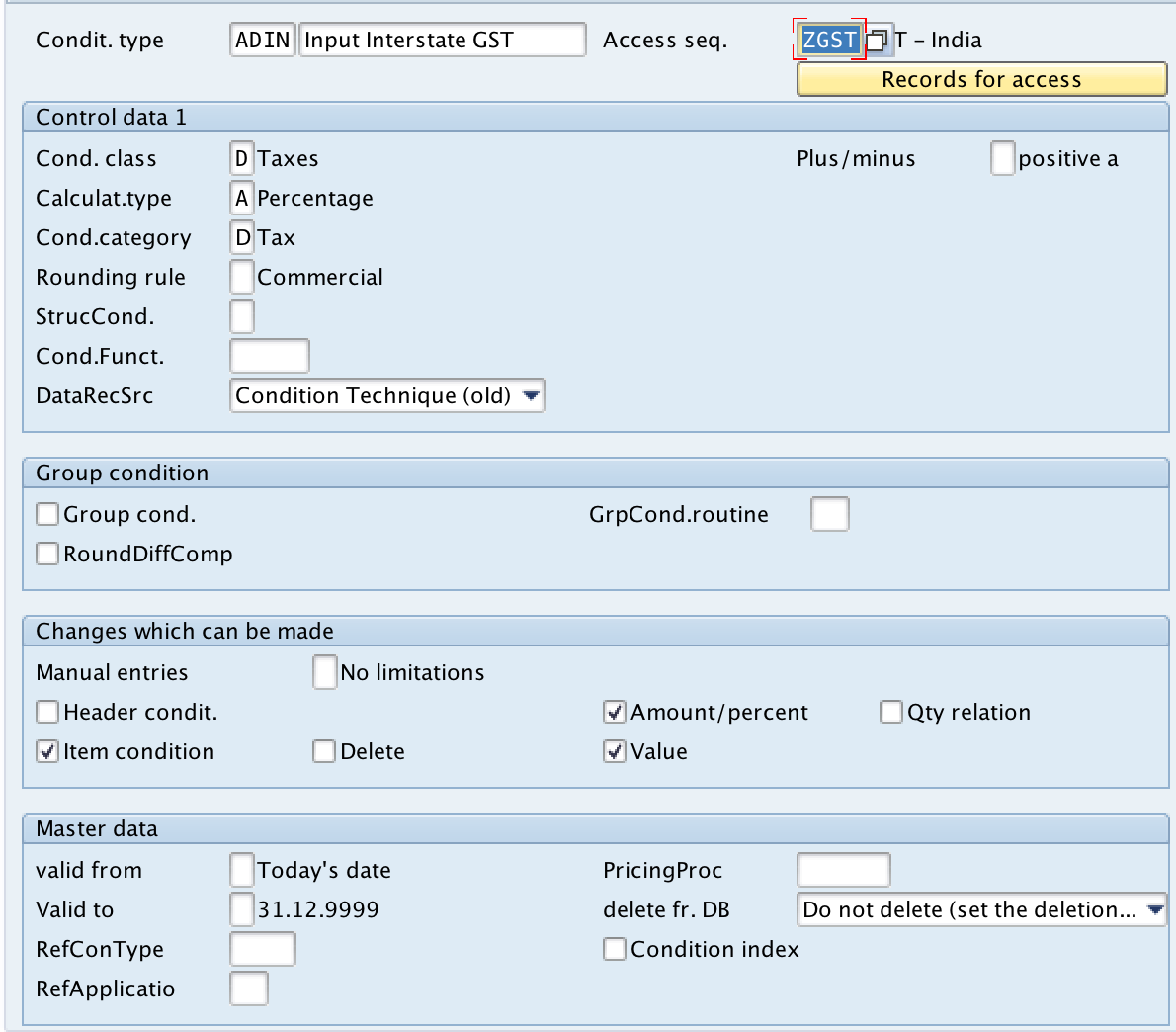
| ADIN | Input | Interstate GST |
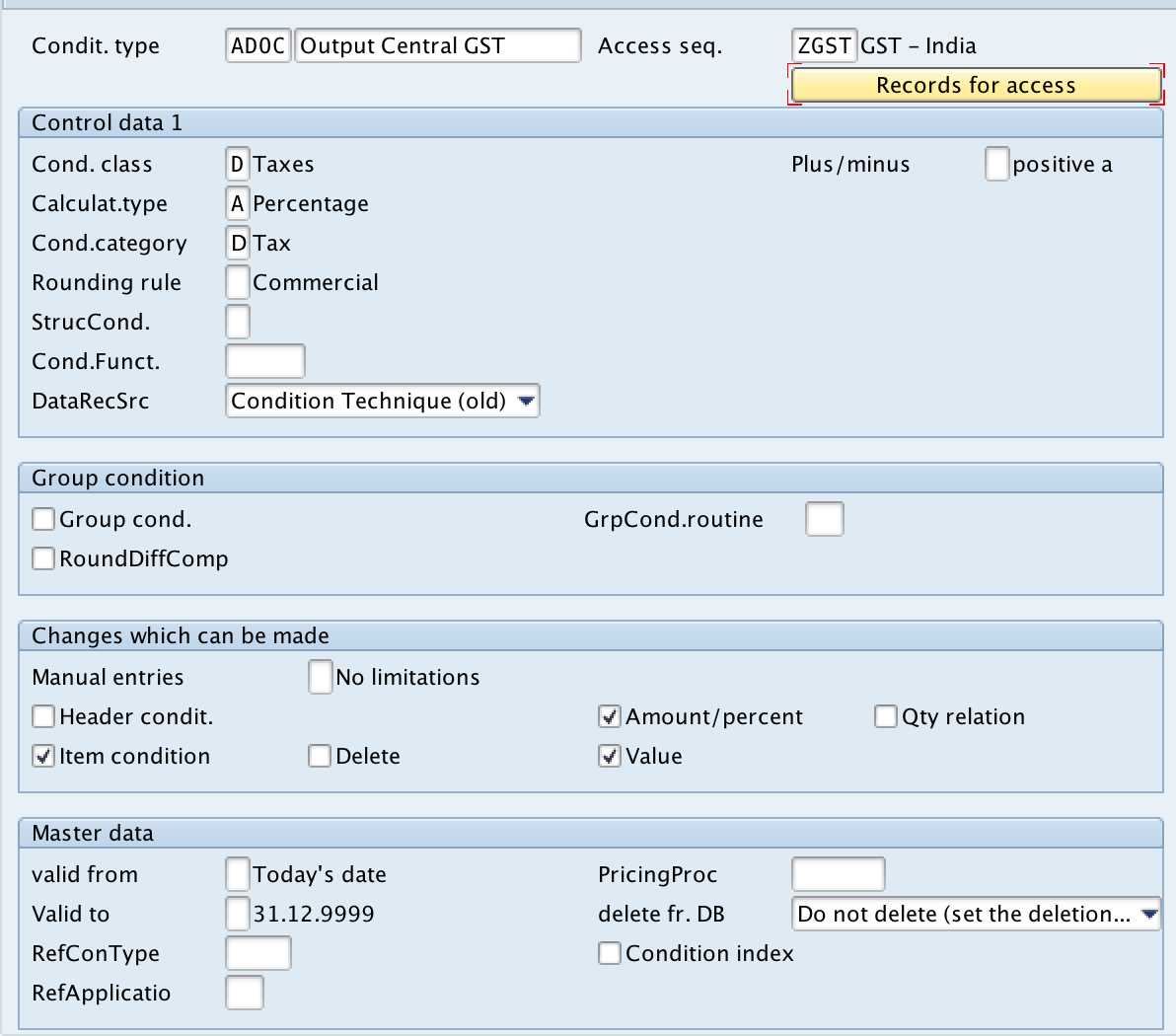
| ADOC | Output | Central GST |
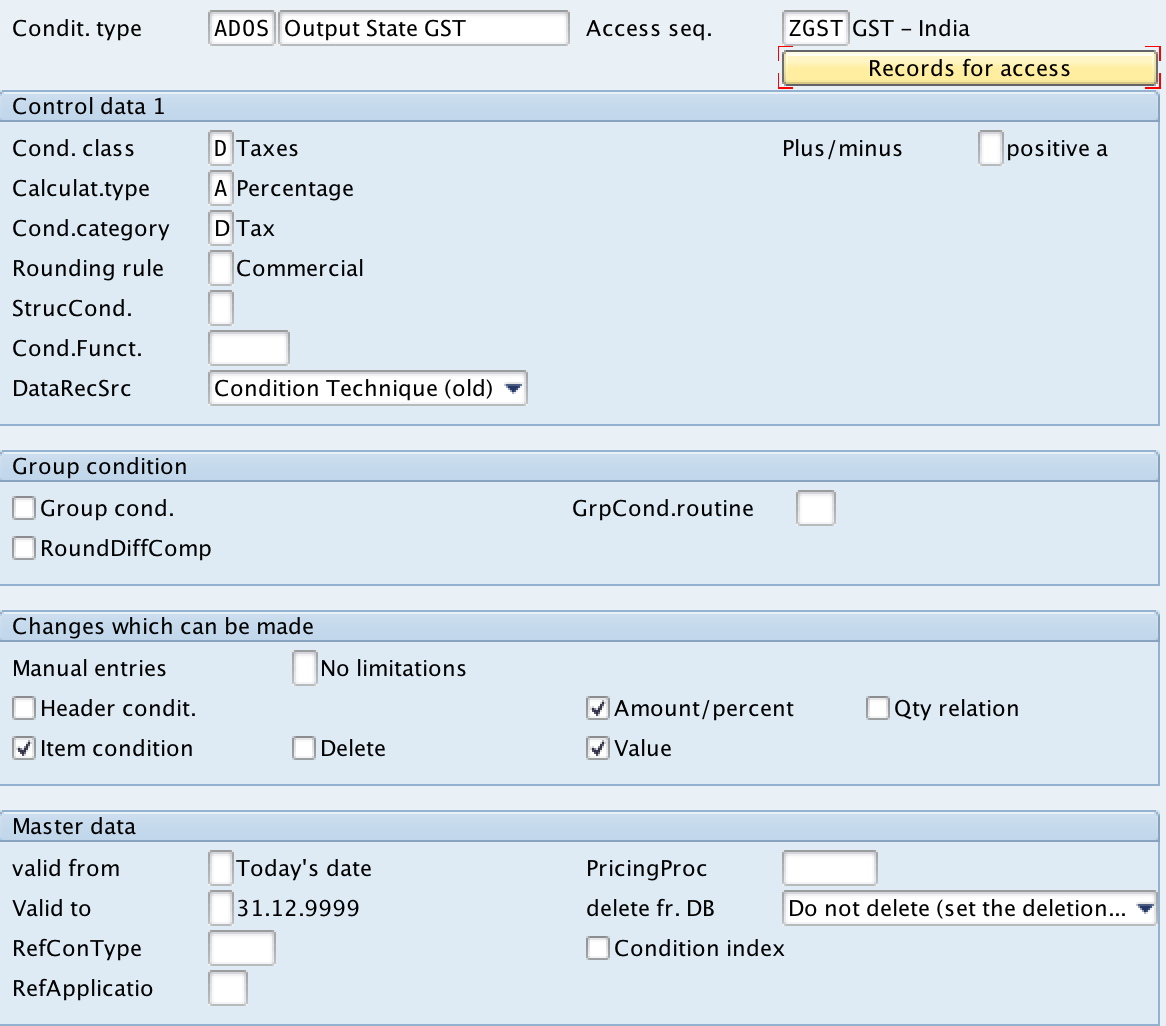
| ADOS | Output | State GST |
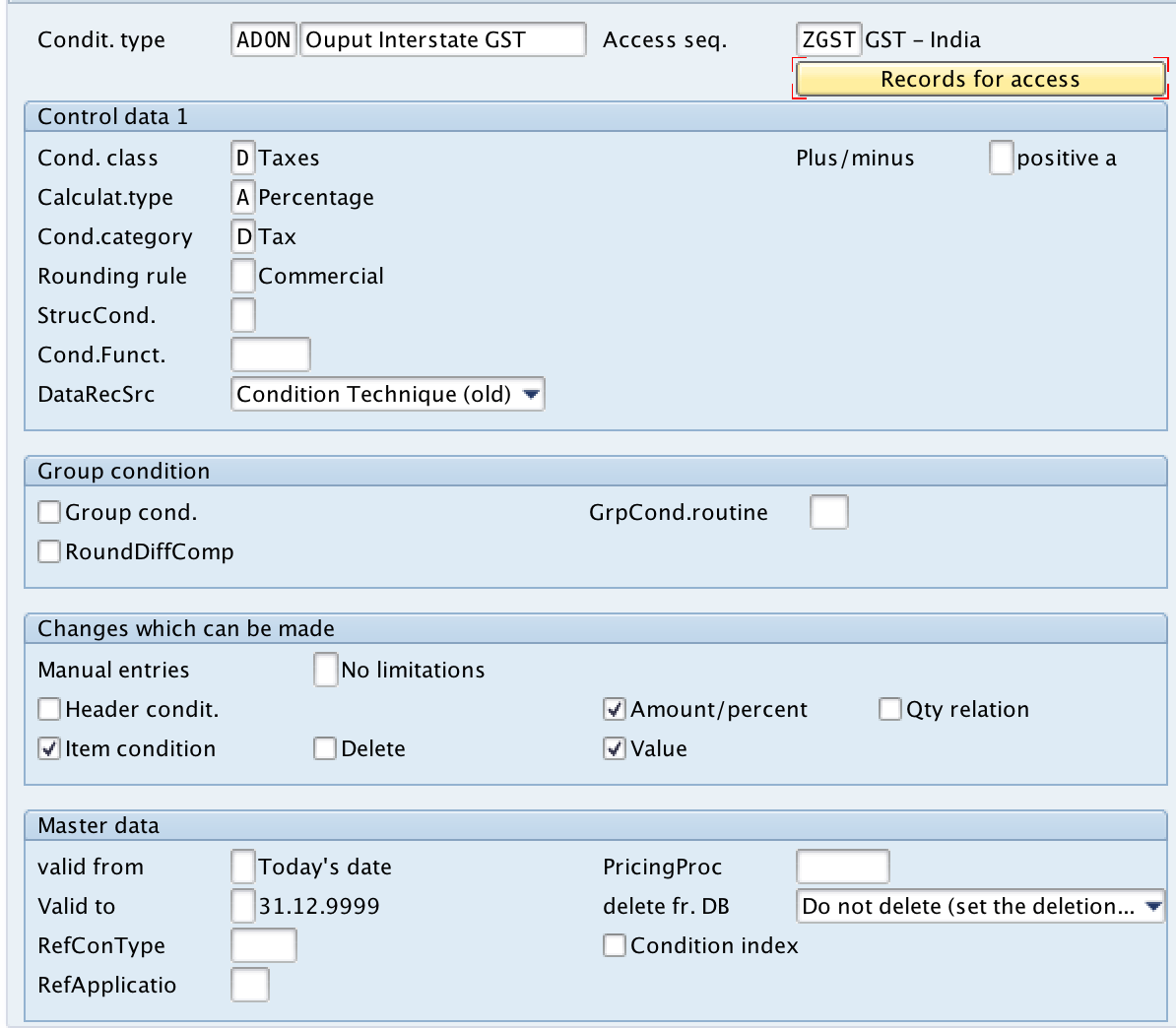
| ADOI | Output | Interstate GST |
IMG Path: IMG > SAP Reference IMG > Financial Accounting > Financial Accounting Global Settings > Tax on Sales /Purchases > Basic settings > Check calculation procedure > Define condition types
Transaction code: OBQ1
Step 1)
Execute transaction code “OBQ1” as shown below

Step 2)
On change view conditions: condition types overview screen, choose the new entries button to create the new condition types in SAP for GST implementation.

Step 3)
On new entries condition types overview screen, enter the following details.
- Condit. type: Enter the new condition type key to be created in SAP
- Description: Enter the description of condition type in the given field
- Access. seq: Update the access sequence key
Control data 1
- Cond. class: Update the condition class key as D (Taxes)
- Calculat.type: Update the calculation type as A (Percentage)
- Cond.Category: Update the condition category as D (Tax)
- Changes which can be made: Check the required fields (Amount/Percent, Item condition, Value, etc)
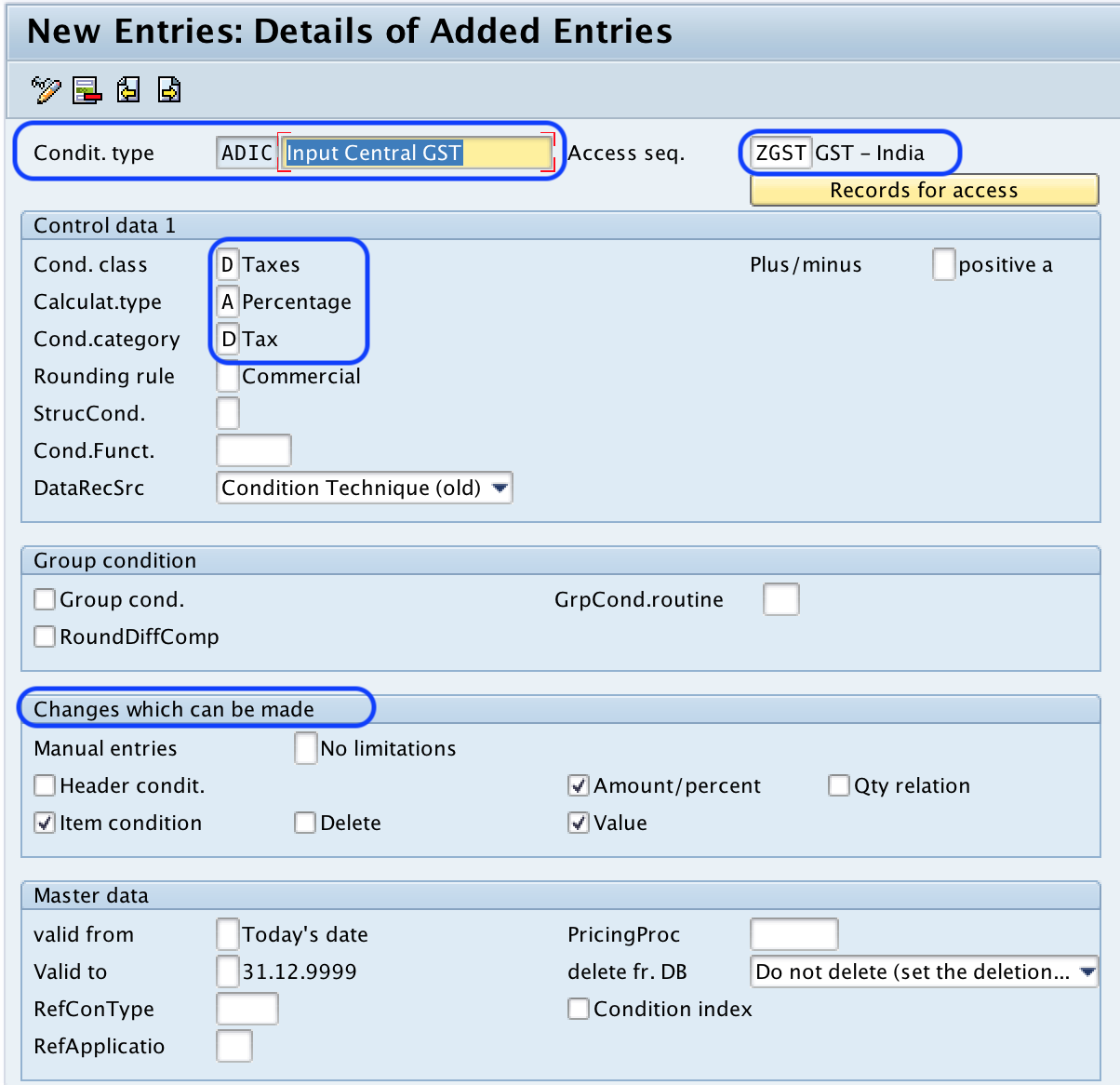
Click on save icon and save the configured details.
Similarly create other condition types by using above method.
Condition Type: ADIS
Condition type: ADIN
Condition Type: ADOC
Condition Type: ADOS
Condition Type: ADOI
Leave A Comment?
You must be logged in to post a comment.